
Connect OpenClaw to BestYou
Give your personal AI agent a direct line to your health intelligence. Follow these steps to connect OpenClaw to BestYou via MCP.
What You're Installing
BestYou for OpenClaw is split into two skills: a required MCP connector and an optional visual dashboard layer.
bestyouRequiredMCP Connector
- Bridges your agent to BestYou's health intelligence via MCP
- Query briefings, action plans, progress, meals, and workouts
- Core integration — install this first
bestyou-coachOptionalVisual Dashboards
- Renders health data as Dark Glass themed visual widgets
- Briefings become dashboards, meals show macro breakdowns, workouts display exercise cards
- Requires canvas-capable surface · Depends on
bestyouskill
Download BestYou & Get a Free Month
Get the BestYou app on your iPhone with a free month of Pro. BestYou is your on-device health intelligence — it coordinates data from your Apple Watch, tracks your meals, and builds your daily Action Plan. Full access to all 19 AI health agents, the Coordination Engine, and OpenClaw API key generation.
Scan the QR code with your phone camera, or tap it on mobile to download BestYou with your free month of Pro included.
Download with Free MonthOnboard with BestYou
Complete the onboarding wizard on your iPhone. Connect Apple Health, let BestYou import your health history, and set your goals. This gives the 19 agents the context they need to build your first Action Plan.
Generate an OpenClaw API Key
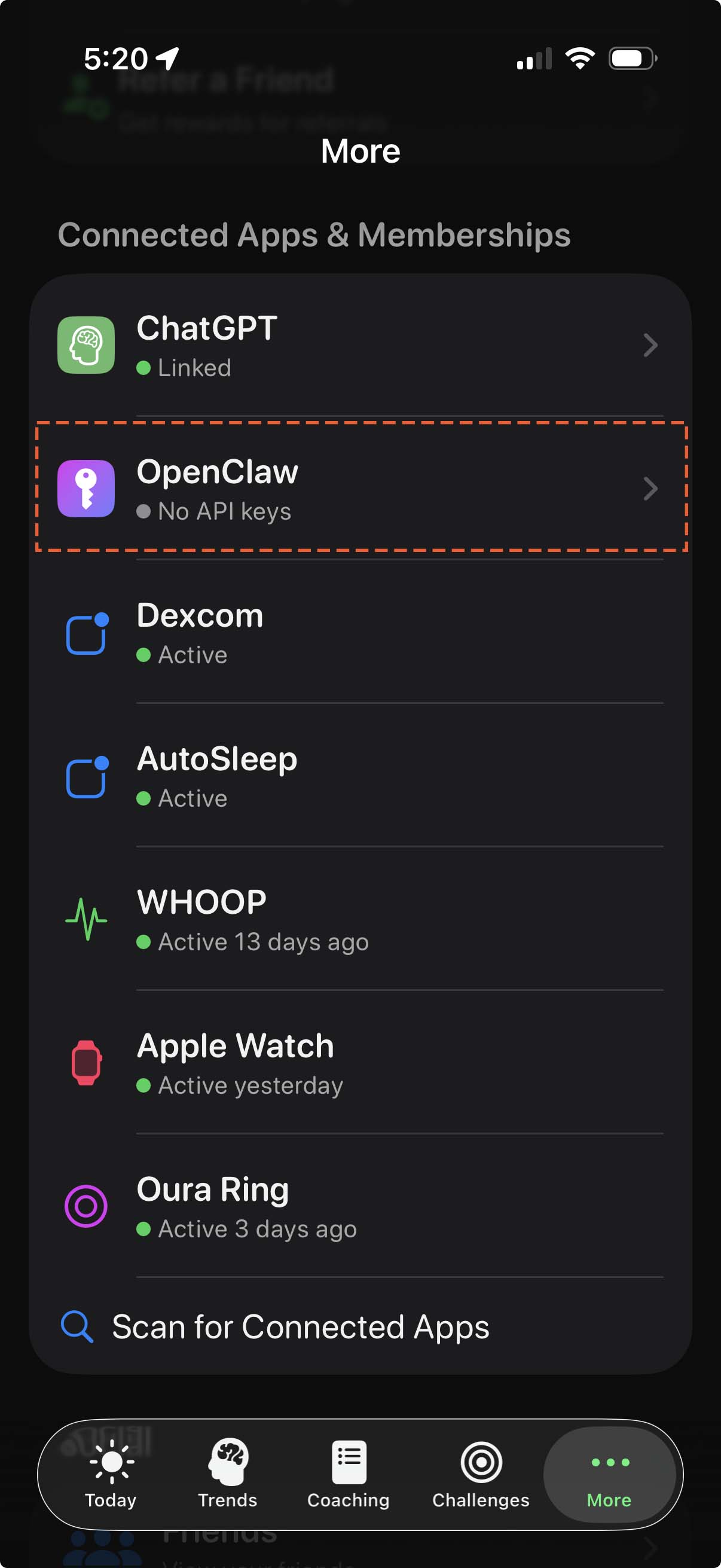
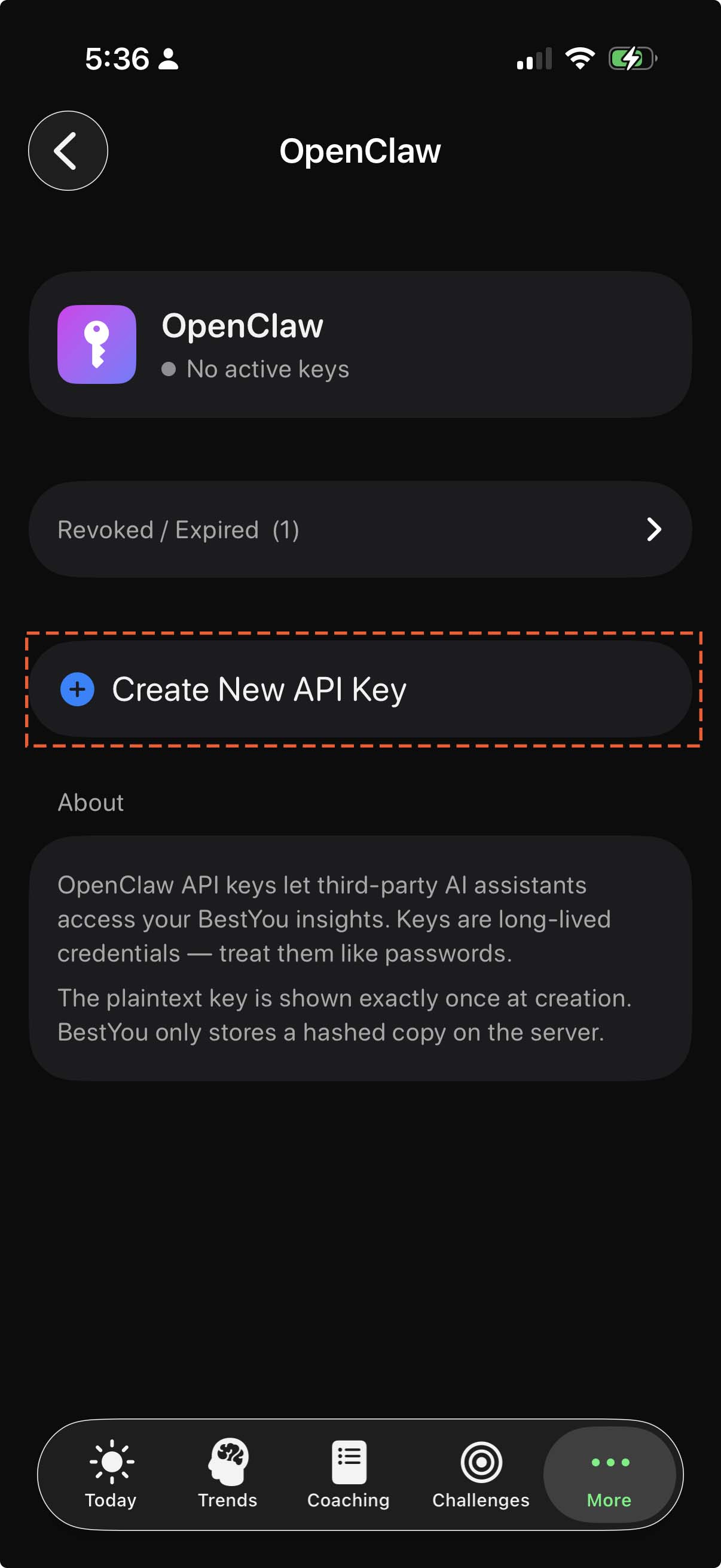
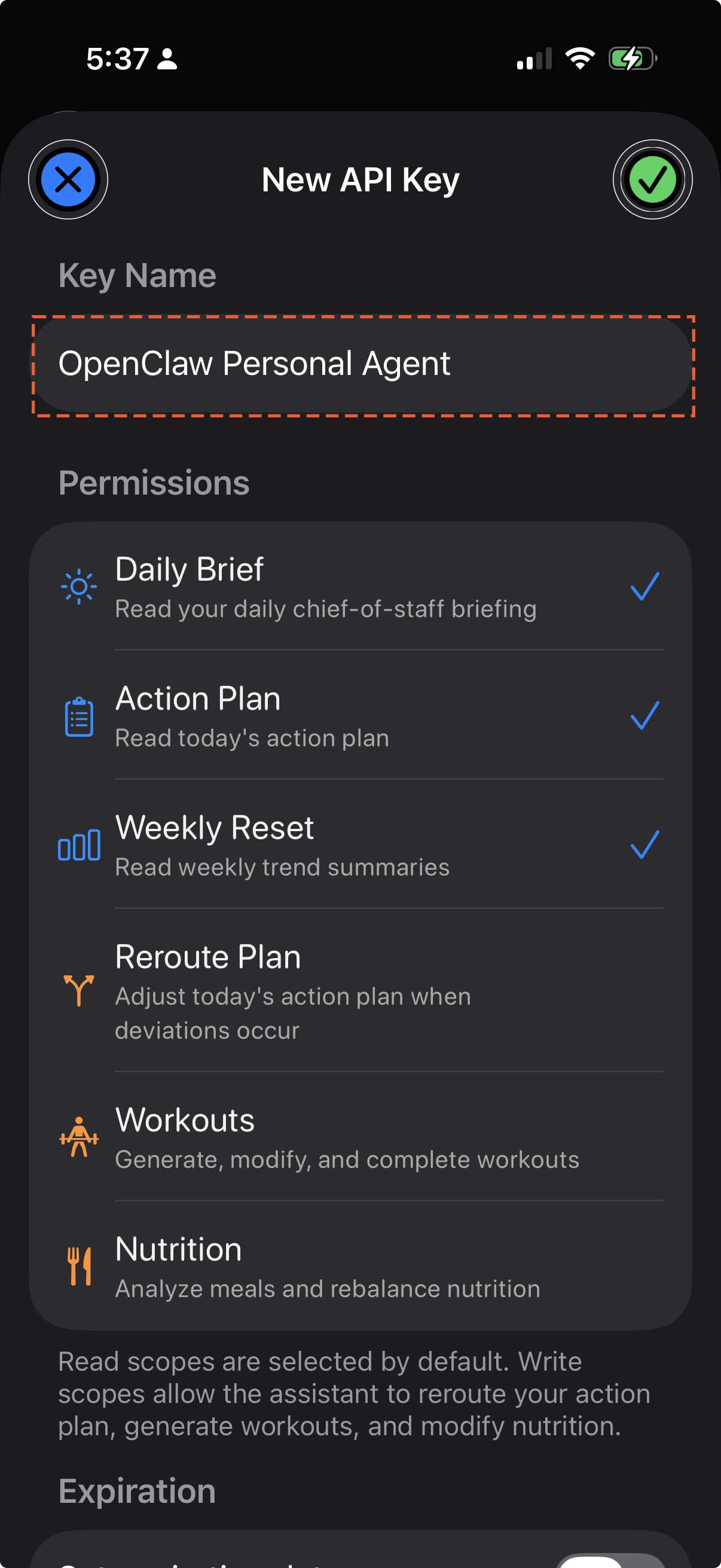
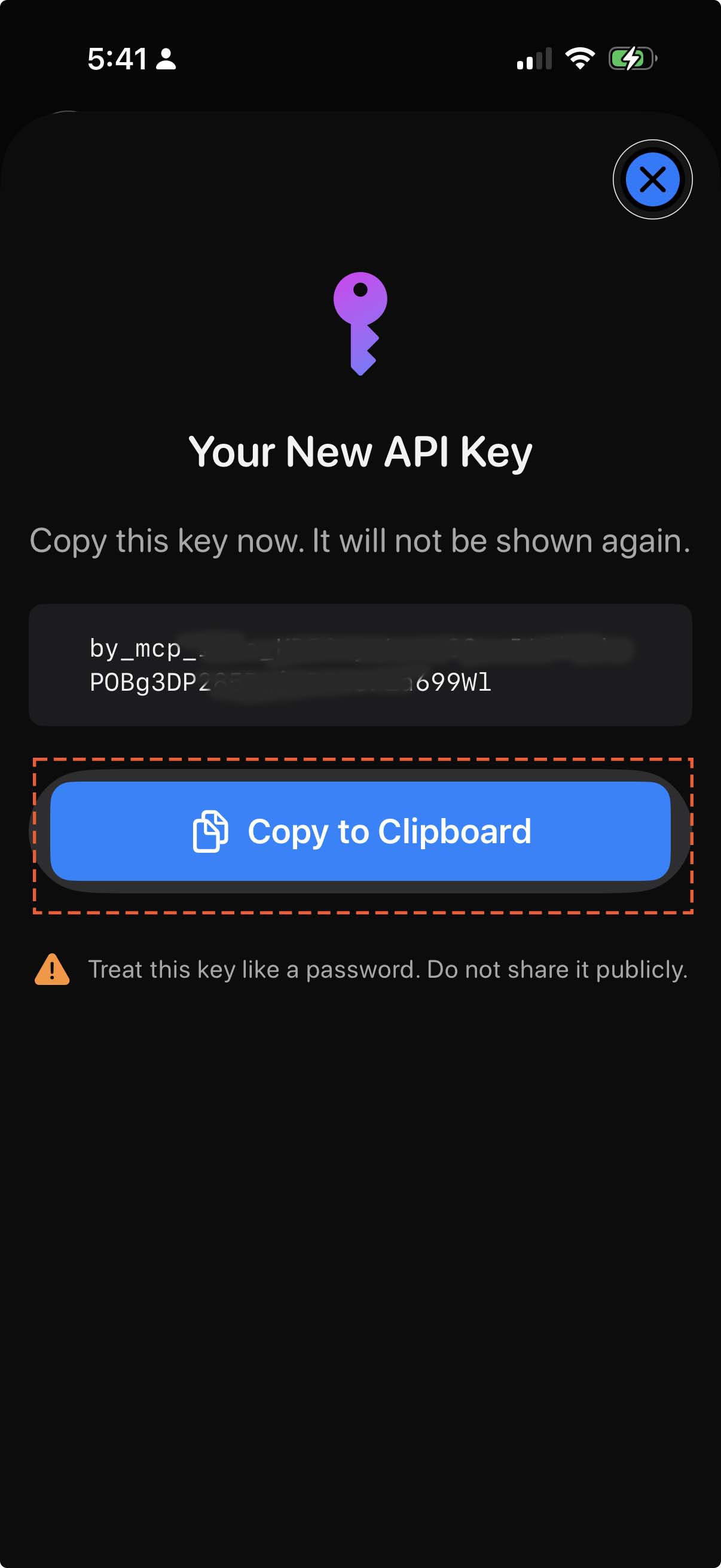
In the BestYou app, you can create a secure link for OpenClaw to use. Go to More, Connected Apps, OpenClaw and generate a new API key. The plaintext key is shown exactly once so copy it and store it securely.
Set your environment variable:
export BESTYOU_API_KEY="by_mcp_live_..."Add this to your shell profile (~/.zshrc or ~/.bashrc) so it persists across sessions.
Install the BestYou Skill & Configure MCP
Install the BestYou connector skill, then configure mcporter to bridge your agent to BestYou’s health intelligence via MCP.
Part A — Install the connector skill
clawhub install bestyouManual install
cd ~/.openclaw/workspace/skills
mkdir bestyou && cd bestyou
unzip /path/to/bestyou.skill
Part B — Configure MCP
Install mcporter (if not already installed):
npm install -g mcporterAdd BestYou as an MCP server:
mcporter config add bestyou \
  --url https://mcp.bestyou.ai/mcp \
  --header "Authorization: Bearer $BESTYOU_API_KEY"
Verify the connection:
mcporter call bestyou.get_account_link_statusTest Your Connection
Ask your OpenClaw agent:
“What's my day look like?”
If connected correctly, your agent will pull your daily brief, readiness score, and action plan from BestYou.
Having trouble? Check these common issues:
- “Account not linked”Open BestYou app → More → Connected Apps → verify OpenClaw is connected
- “Subscription inactive”Make sure your BestYou Pro subscription is active
- “Invalid API key”Generate a new key in the app and update your
BESTYOU_API_KEYenvironment variable - “mcporter: command not found”Run
npm install -g mcporterto install the MCP client - “MCP server unreachable”Check your network connection and verify the API key is set correctly
You can also test individual tools in the OpenClaw Playground.
Add Visual Dashboards (Optional)
Your agent already works with text responses. This step adds Dark Glass themed visual widgets for a richer experience.
Install the visual dashboards skill
clawhub install bestyou-coachManual install
cd ~/.openclaw/workspace/skills
mkdir bestyou-coach && cd bestyou-coach
unzip /path/to/bestyou-coach.skill
No additional configuration needed. The coach skill uses the same MCP connection you set up in Step 04.
Dark Glass visual widgets
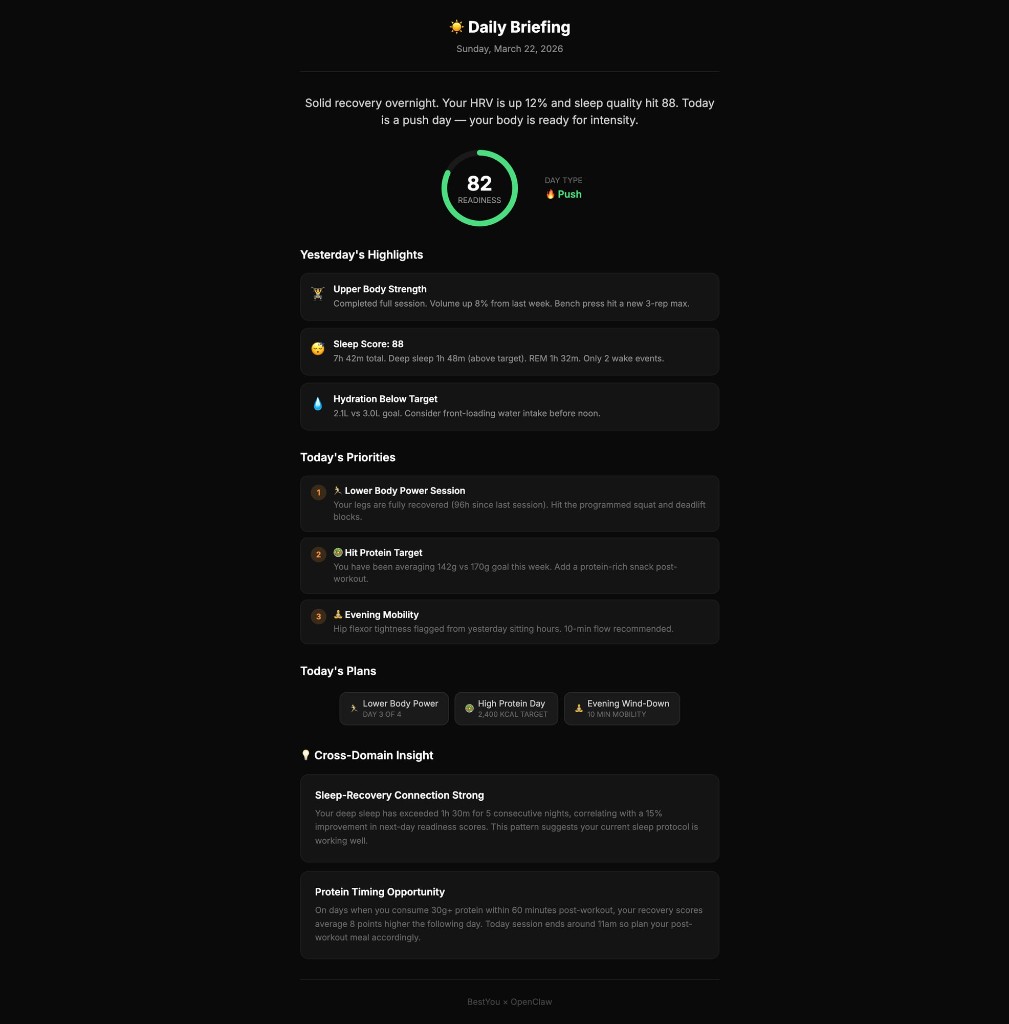 Daily Briefing
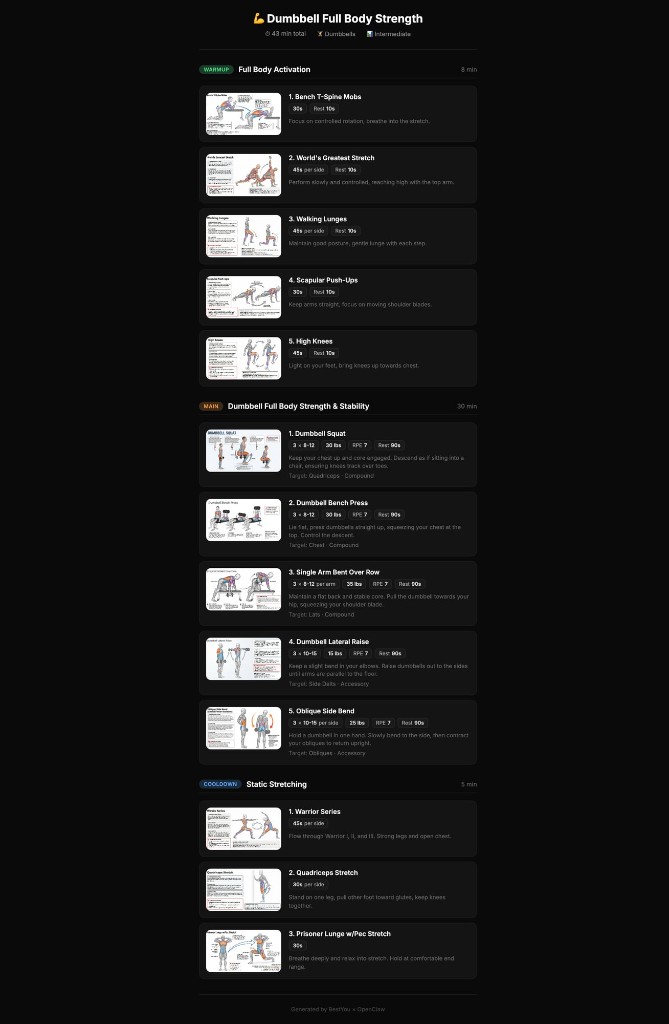 Workout Plan
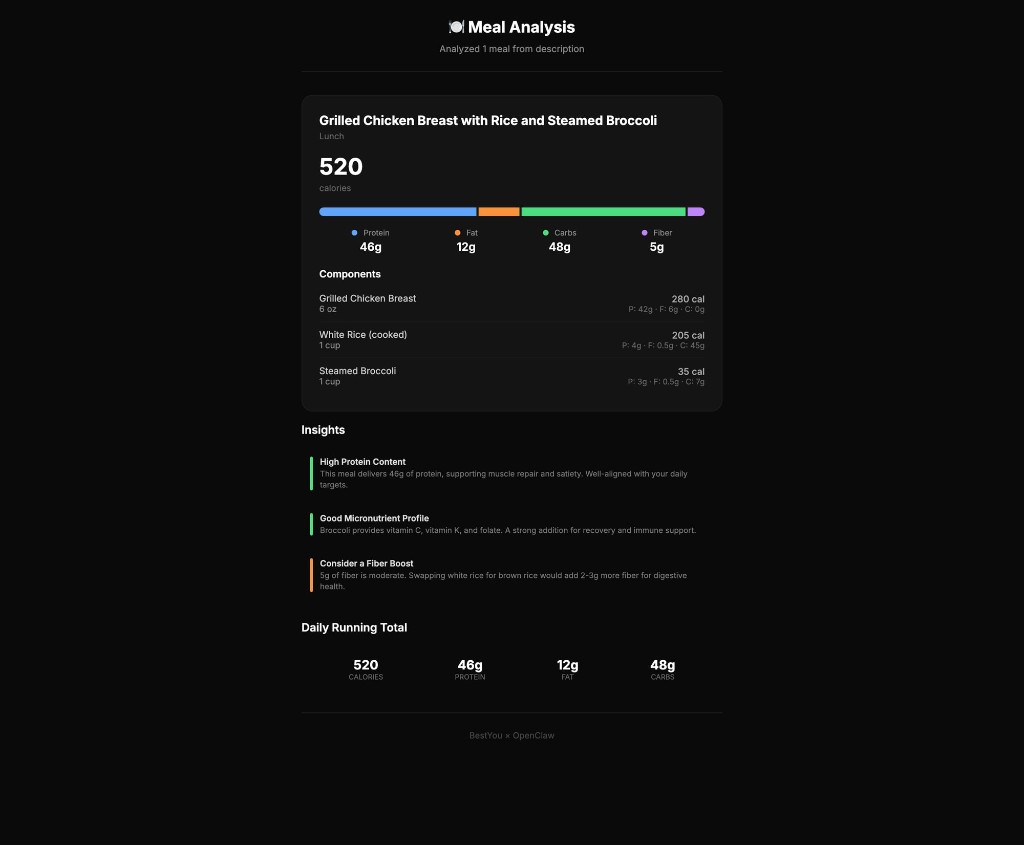 Meal Analysis
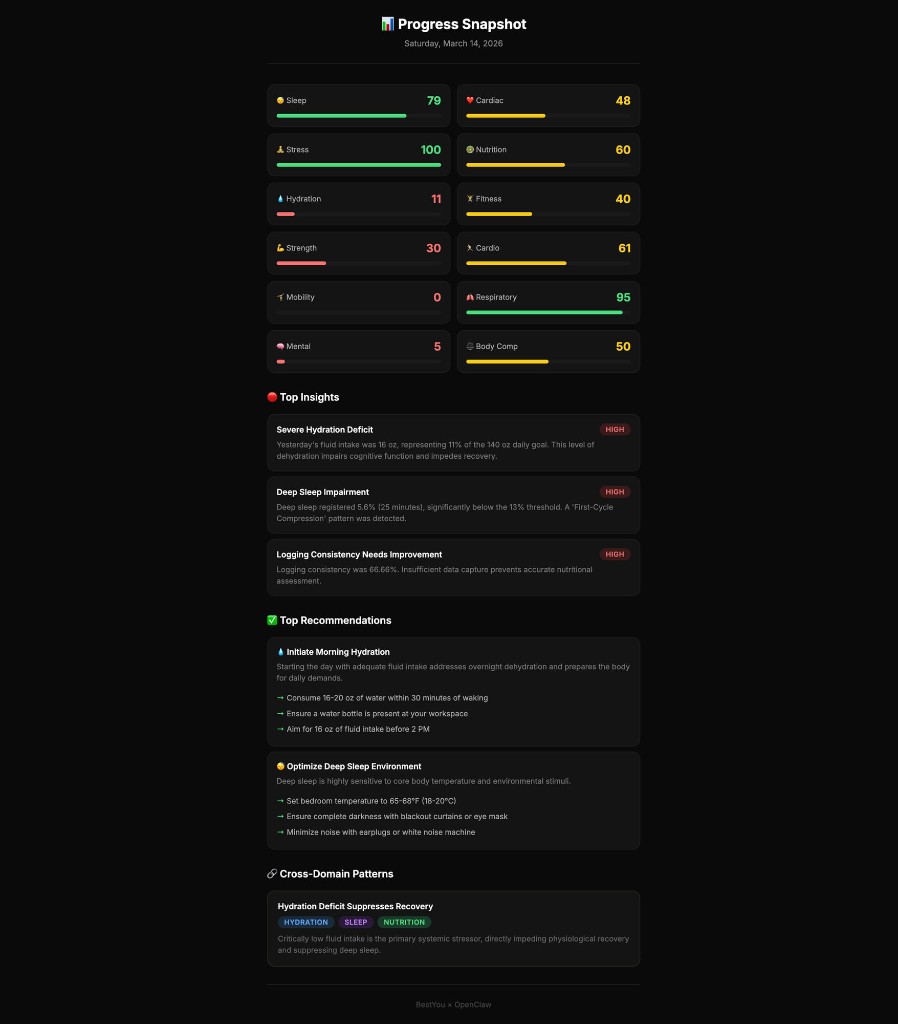 Progress Snapshot
What Your AI Agent Can Do
Your data stays on your device.
BestYou shares processed insights with your OpenClaw agent, never raw health data. HealthKit readings, sensor data, and personal health records never leave your iPhone.
Ready to Connect?
Start with the free month, onboard in minutes, and give your personal AI agent a health intelligence it can actually use.